02 · Open-source workflow
OpenGit
From a good find to a useful contribution.
Interactive demonstration · sample data · no live activity or resources
vercel / next.jsThe React Framework for the Web
Strong fitActiveContributing guideChecksLicense
OpenGit in one view
OpenGit connects GitHub repository discovery, project evidence, browser workspaces, contribution planning, verification and pull-request progress in one workflow.
Free · active development · 18+
Who it helps
Developers choosing an open-source project and keeping discovery, repository research and contribution work connected.
Verified public experience
Public discovery returned repository results for a CLI search on 3 October 2026, including repository metadata and workspace/detail links. Authenticated saves, publishing and pull-request workflows were not exercised in this check.
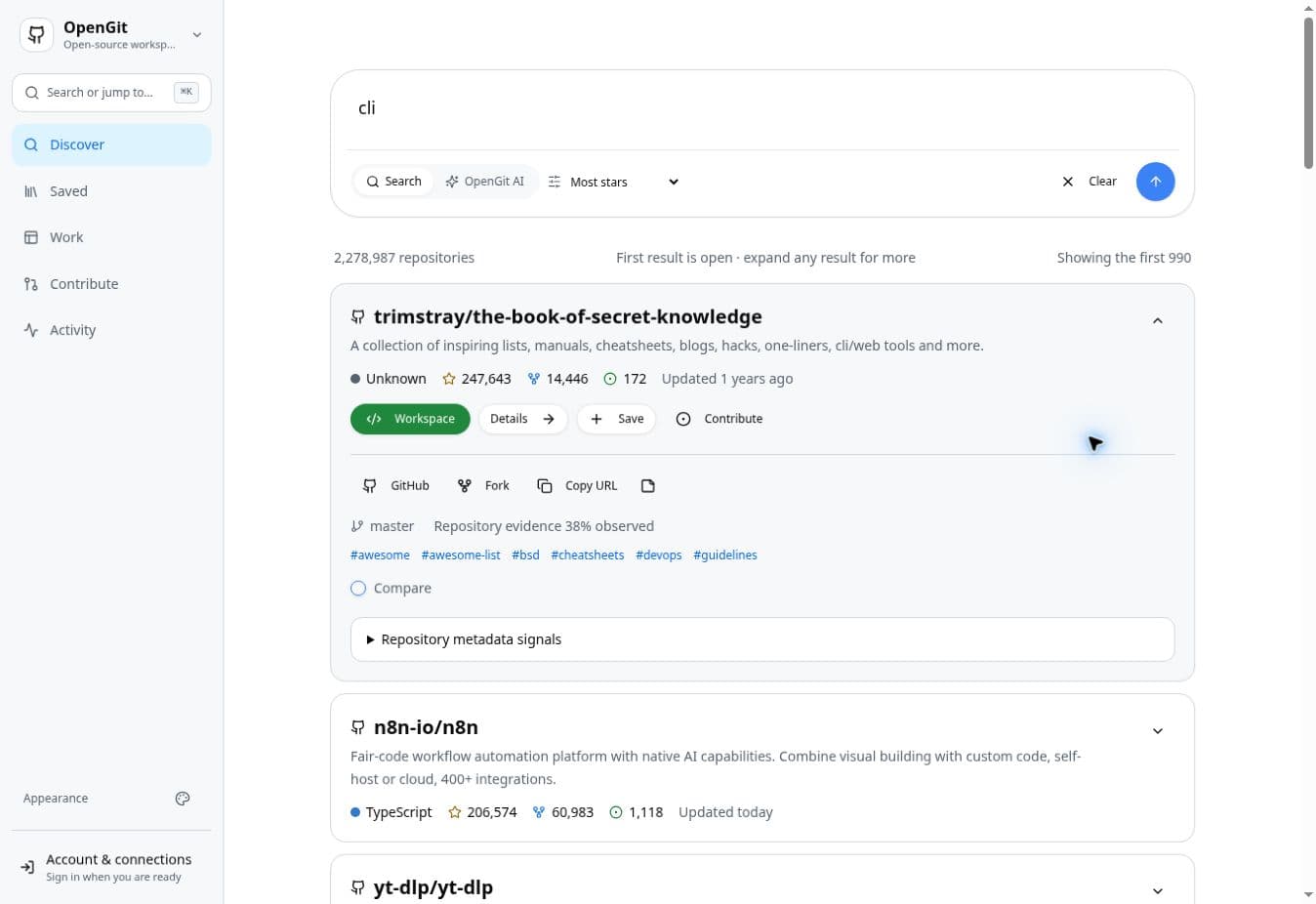
Try the actual product
- Open OpenGit. Choose a discovery goal or skip the first-run guidance.
- Enter a topic such as cli and select Search GitHub.
- Inspect a result's description and observed repository signals; follow Details for further context.
- Read the upstream contribution guidance before choosing work. Sign in only when a protected action requires it.
What the capabilities do
These capability descriptions explain the implemented product scope. The public check above states exactly what was exercised; connected features can require additional setup.
Discover
Search for repositories from what you want to build, learn or contribute to.
Repository Evidence
Inspect maintenance, documentation, contributor, engineering and license signals.
Collection
Save, compare and organize repositories that are genuinely worth revisiting.
Workspace
Browse files, search code, review changes, keep drafts and stay close to repository context.
Plan & Verify
Plan work and keep verification, checks and contribution readiness close to the workspace.
Contribution Journey
Keep issue, workspace, pull request, review and contribution state connected.
Current limitations
- Repository information depends on GitHub availability, permissions and freshness.
- Evidence and fit signals are guidance, not security audits or guarantees of maintainer acceptance.
- Public discovery does not imply permission to modify a repository or publish a contribution.
Access and pricing
Public repository discovery is available without signing in. Account and GitHub connections are used when a protected workflow requires them. Currently free and in active development.