01 · Application intelligence
VCode
Understand the application before you change it.
Interactive demonstration · sample data · no live activity or resources
route/checkout
componentCheckoutPanel
api/api/checkout
serviceCheckoutService
dataOrders
VCode in one view
VCode maps JavaScript and TypeScript applications across routes, UI, APIs, services and data so developers can trace flows, inspect dependencies and understand change impact.
Free · active development · 18+
Who it helps
Developers learning an unfamiliar JavaScript or TypeScript application, reviewing a change, or planning a refactor.
Verified public experience
The public Demo workspace opened successfully and displayed Ship Intelligence, affected resources, source evidence and analysis coverage on 3 October 2026. This verifies the built-in example, not every input or connected feature.
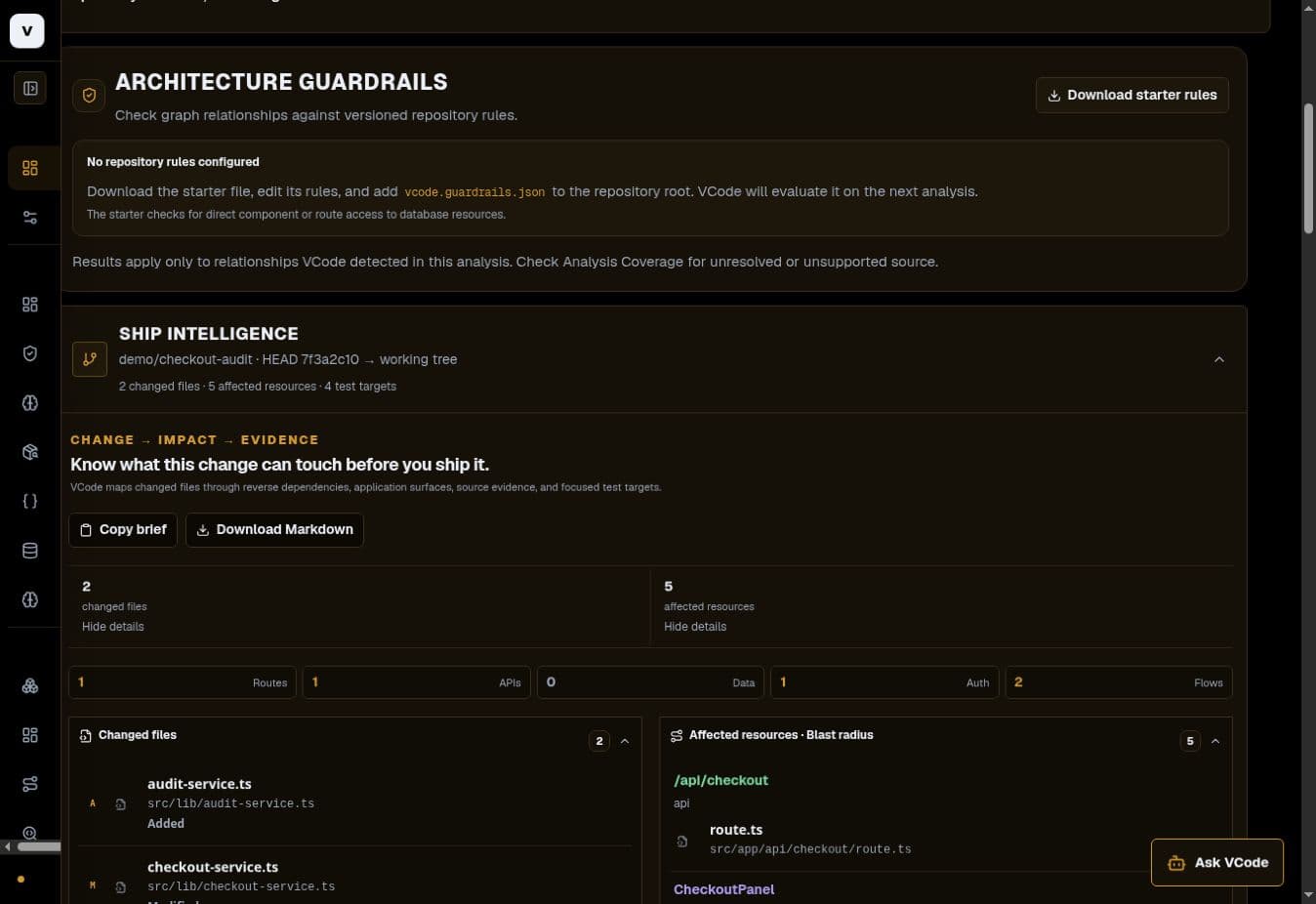
Try the actual product
- Open VCode and choose Demo workspace. No private repository is needed.
- Wait for the application map to finish building, then inspect the Ship Intelligence section.
- Select an affected resource and follow its source evidence. Compare exact and inferred relationships in Analysis coverage.
- Review the suggested test targets. Use this as investigation guidance; the demo does not run those tests for you.
What the capabilities do
These capability descriptions explain the implemented product scope. The public check above states exactly what was exercised; connected features can require additional setup.
Application Map
Explore routes, UI, APIs, services, auth, data and the relationships connecting them.
Application Flows
Follow user and API entry points through the resources that make a feature work.
Trace & Impact
Trace dependencies forward or reverse them to understand blast radius and affected surfaces.
Ship Intelligence
Connect changed files to affected resources, evidence and focused test targets.
Architecture Guardrails
Check detected relationships against repository-owned architectural rules.
Ask VCode
Ask codebase questions with deterministic evidence first and optional AI explanation on top.
Current limitations
- Analysis is bounded by detected relationships. Inferred links, coverage gaps and external boundaries need review.
- Suggested test targets are not executed tests and do not prove coverage.
- The hosted app processes selected source on its server. Browser folder selection is not a local-only guarantee.
Access and pricing
The built-in demo is available without signing in. Connected repositories and other workflows have their own access requirements. Currently free and in active development; no uptime or permanent-storage promise.